﻿# Assigning a team to a tenant

The Octo Pet Shop application has two development teams (Avengers and Radical) that are concurrently developing features for the application.  Scoping the team to their specific tenant will ensure they can only deploy to their dedicated infrastructure.

## Scoping a team to a tenant

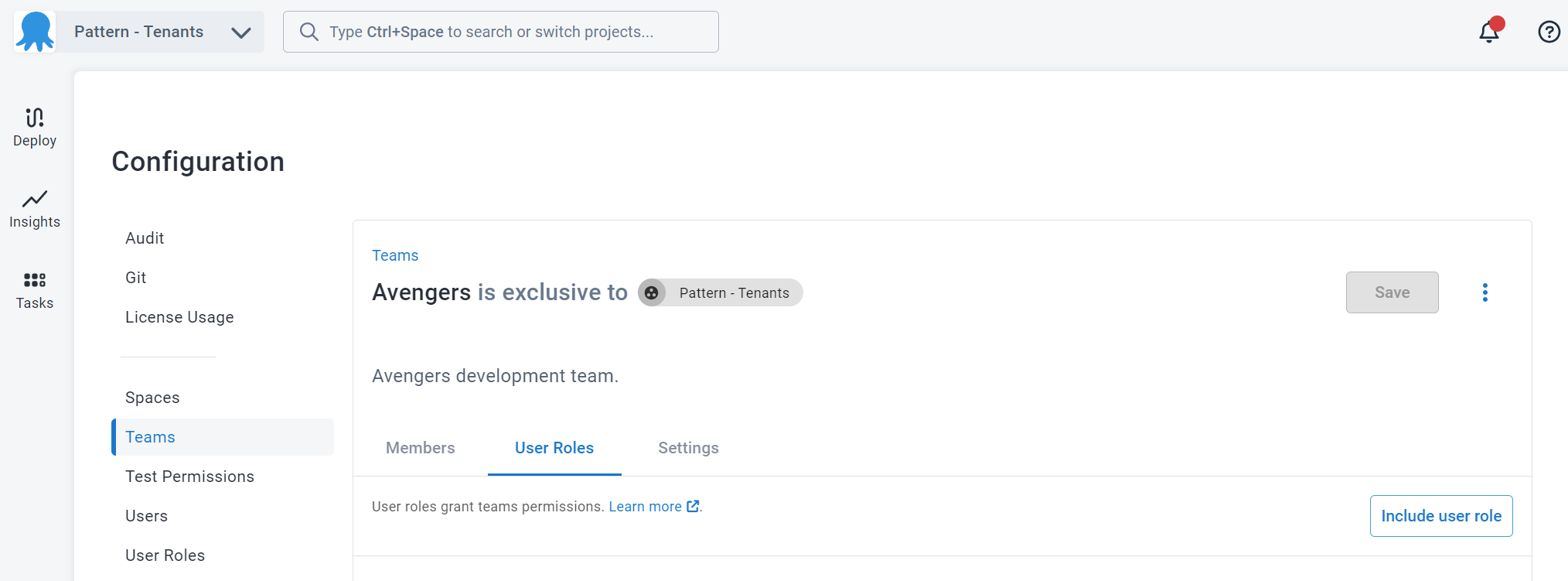
Once you've created your team, click on the **User Roles** tab.

:::figure
![The User Roles tab of the Team Avengers team](/docs/img/tenants/guides/multi-tenant-teams/images/octopus-teams-avenger.png)
:::

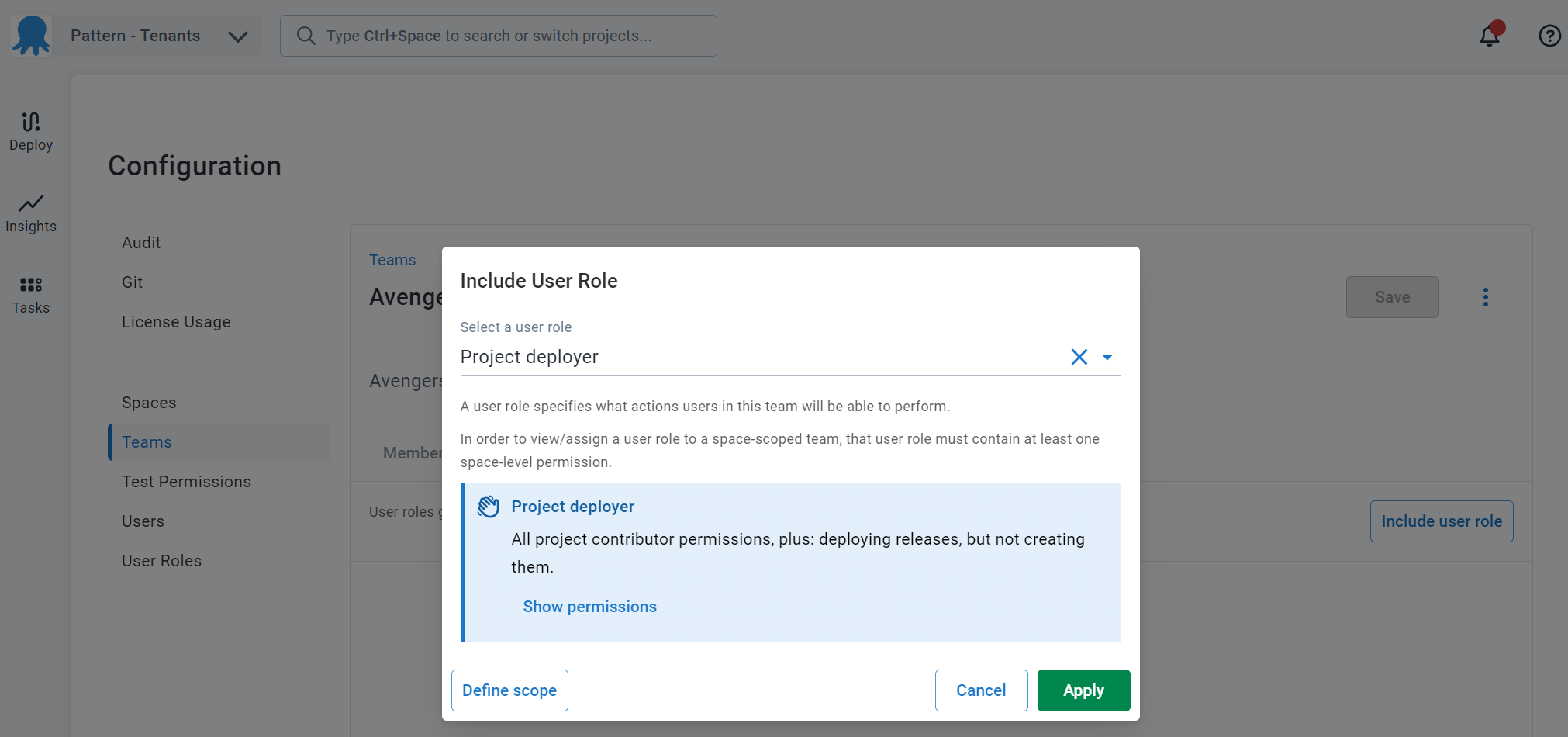
Click on **Include User Role** then select the role to include for the team.  After the role has been selected, click on **Define scope**

:::figure
![Selecting a user role to include for the team](/docs/img/tenants/guides/multi-tenant-teams/images/octopus-teams-roles.png)
:::

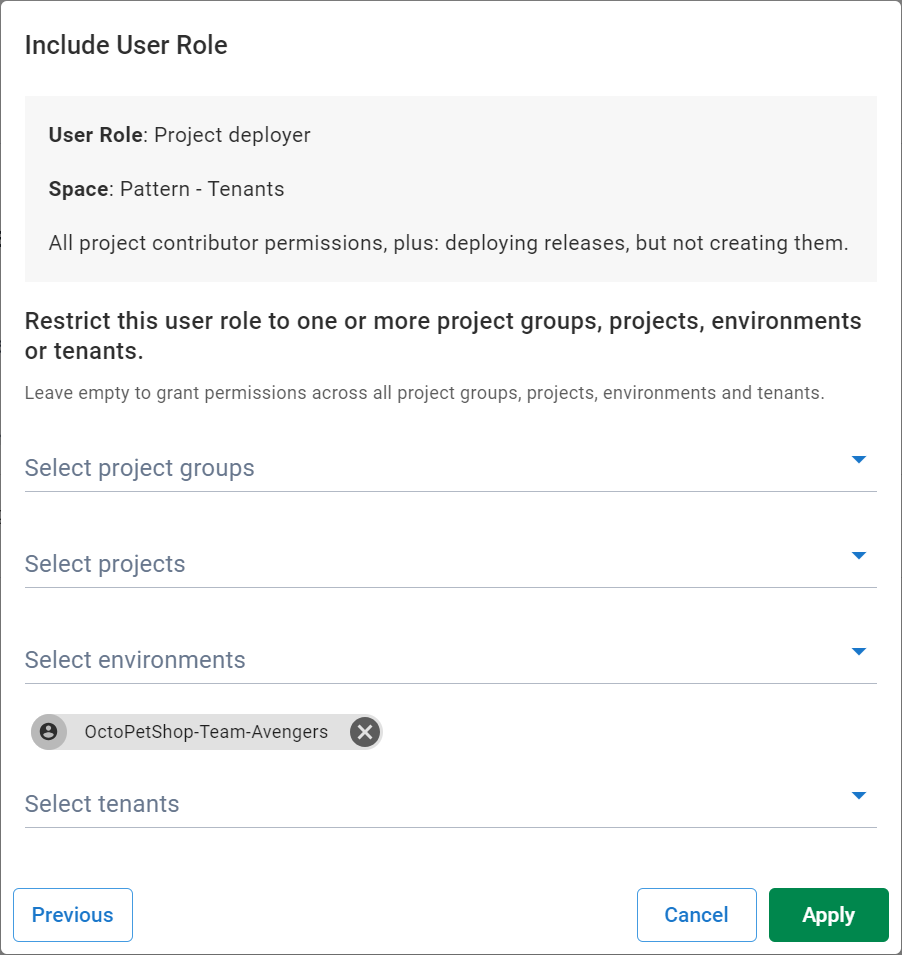
Select the tenant and click **Apply**

:::figure
![Scoping a user role to the OctoPetShop-Team-Avengers tenant](/docs/img/tenants/guides/multi-tenant-teams/images/octopus-teams-role-tenant.png)
:::

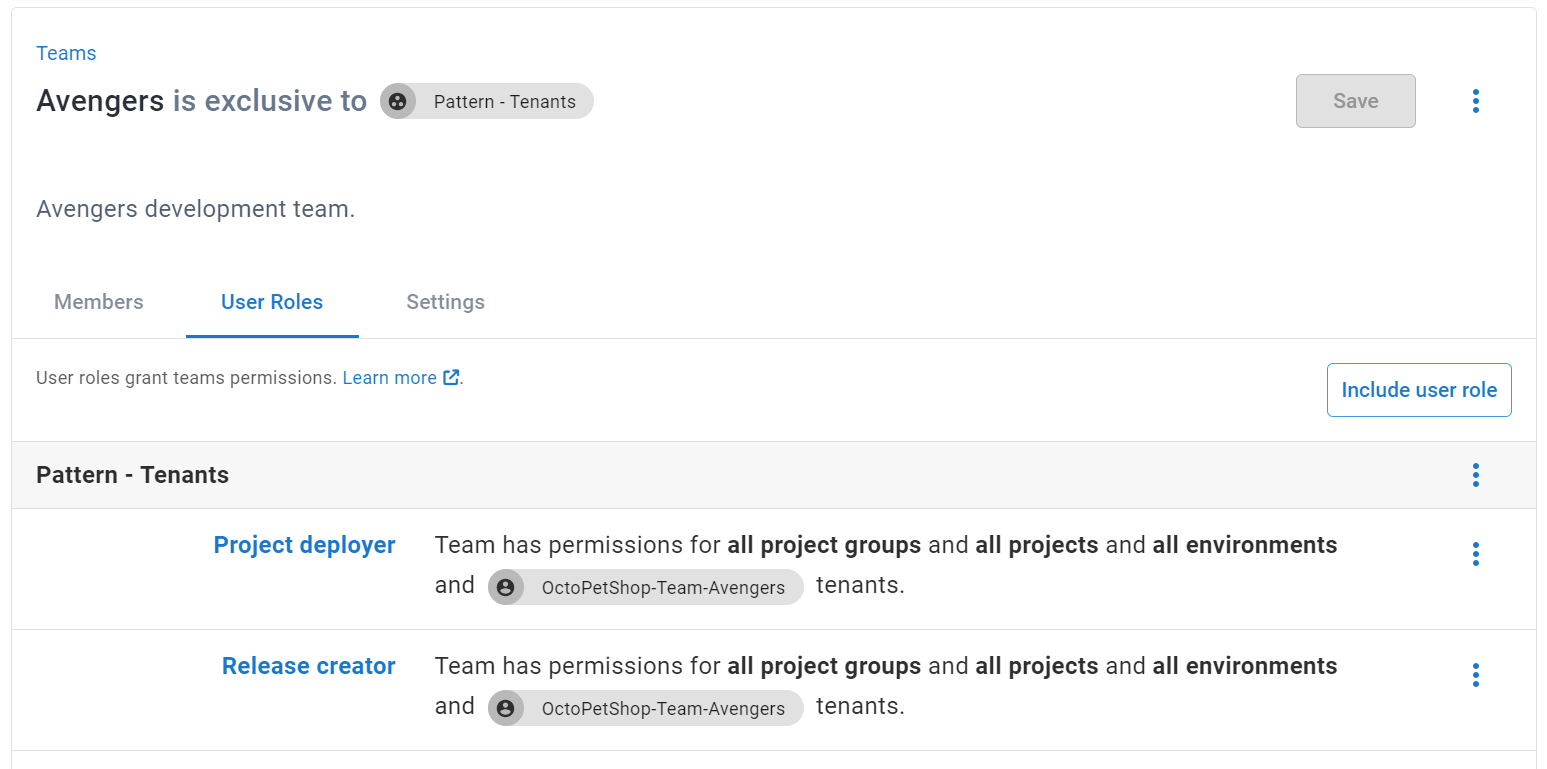
This configures the team with `Release Creator` and `Project Deployer` permissions to any project with the Tenant `OctoPetShop-Team-Avengers`

:::figure
![The team's user roles scoped to the OctoPetShop-Team-Avengers tenant](/docs/img/tenants/guides/multi-tenant-teams/images/octopus-teams-userroles.png)
:::

<span><a class="button btn-secondary" href="/docs/tenants/guides/multi-tenant-teams/creating-new-tenants">Previous</a></span>&nbsp;&nbsp;&nbsp;&nbsp;&nbsp;<span><a class="button btn-success" href="/docs/tenants/guides/multi-tenant-teams/deploying-team-tenant">Next</a></span>
